MyBurgas GO: Burgas public transport in your pocket
Where your bus is right now, when the next one leaves your stop and the fastest way across town — with a reminder before it leaves and an alert before your stop, even with the screen off.

Free · Android 8.0 or newer · no account, no ads

The app is in English and Bulgarian.
Google Play and the Google Play logo are trademarks of Google LLC.

What the app does
Stops near you
Live departures from the stops around you, with delays and cancelled trips.
Route planner
From and to any stop, address or place in Burgas, or home and to work with one tap.
Live map
Every bus and trolleybus on the move. Tap a bus to see its next stop and whether it is late.
Departure reminders
2, 5, 10 or 15 minutes ahead, ringing like an alarm if you like. It waits for a late bus.
Ride assistant
Follows your bus and alerts you before your stop, even with the screen off.
Home screen
Three widgets, any stop as a shortcut, and a Bus to the airport shortcut.
Works offline
The map is built into the app and the timetables are saved on your phone automatically.
Saved stops and lines
Live departures from your favourite stops on one screen.
Alerts
Service changes and cancelled trips, with notifications for your saved stops and lines.
Share your trip
Send a link that shows your bus live, even to someone without the app.
How to pay
Every fare and the ways to pay, checked with Burgasbus.
What it looks like
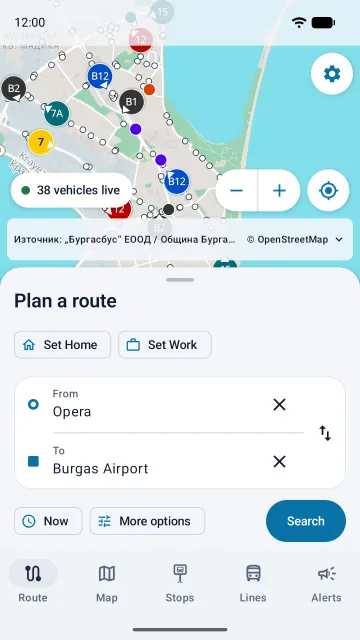
Burgas public transport, live 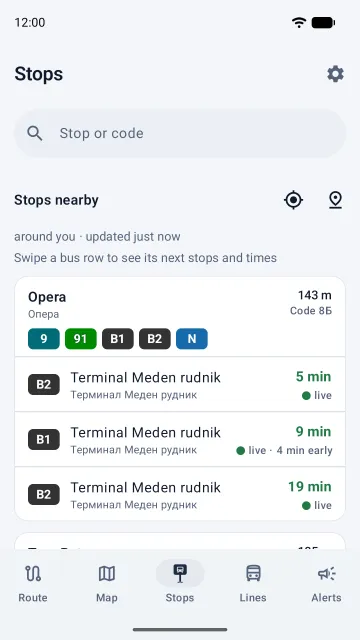
Live departures from the stops near you 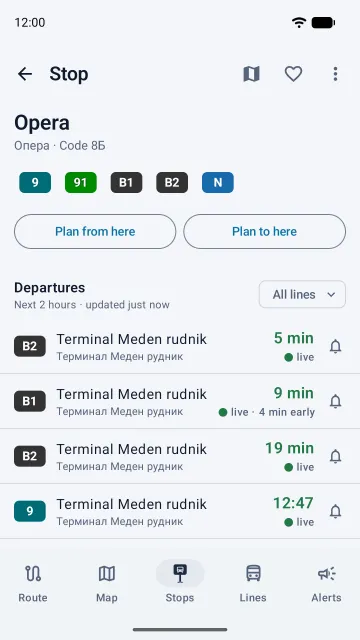
Every stop's timetable, with reminders 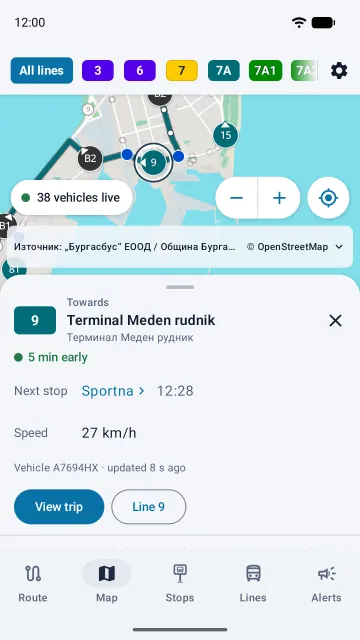
See where each bus is right now 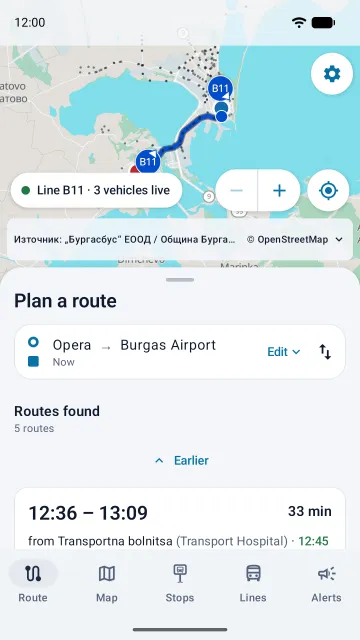
Routes across Burgas with live times 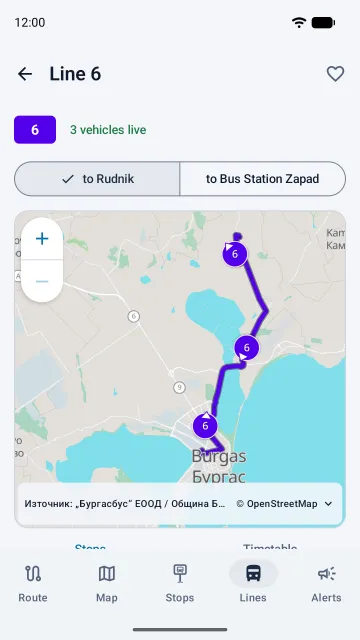
Every line with its buses and timetable
The web app or the Android app?
Both show the buses live and plan routes from the same data. The difference is what your phone can do.
| Live transit app (myburgas.com/transit) | MyBurgas GO for Android | |
|---|---|---|
| Where it runs | Any browser, iPhone included | Android 8.0 or newer |
| Languages | 9 languages | English and Bulgarian |
| Departure reminder | — | Yes, 2–15 minutes ahead |
| Alert before your stop | Only while the screen stays on | Yes, even with the screen off |
| Home-screen widgets | — | Three |
| Offline | Timetables, once you download them in Settings | Built-in map and timetables |
| Install | Not needed; it can be added to the home screen | From Google Play |
Privacy in brief
- No account and no ads.
- Your location is used only when you use something that needs it: stops near you, a route from where you are, or the ride assistant.
- Usage statistics only if you allow them.
The full MyBurgas GO privacy policy
MyBurgas GO is an independent app by MyBurgas.com — not an official app of Burgas Municipality or Burgasbus.
Data: Burgas Municipality / Burgasbus · CC BY 4.0. Real-time data: Burgasbus.
Questions
Is it free?
Yes. No ads, no in-app purchases and no account.
Is there an iPhone version?
No. On an iPhone, open the web app at myburgas.com/transit and add it to your Home Screen from Safari's Share menu.
Which phones does it support?
Android 8.0 or newer. On Android 16 your ride and the countdown also show as Live Updates.
Which languages?
English and Bulgarian. In English, stop names are shown in Latin letters with the Cyrillic of the sign below them.
Does it work offline?
The map and the timetables do. Live buses, route planning and alerts need a connection.
Does it drain the battery?
Live data refreshes only while an app screen is open. Widgets refresh about every 30 minutes, and the ride assistant stops by itself after your stop (after 3 hours at most).